Portfolio
Kashf
One system to run a clinic, medical center or hospital, from booking to the Universal Health Insurance claim. Every service, consumable and drug is billed exactly once.
- Year
- 2026
- Stage
- Live
01 — Overview
What it is. How it works.
Kashf follows the patient through the facility, from the front door to the claim. Each station works in its own screen with its own permissions, every step is timestamped with who did it, and when the patient leaves, the claim is ready.
Front desk: doctor schedules, bookings, a numbered queue and check-in.
Clinical: triage and vitals, consultations, medical reports with ICD-11 diagnoses, daily ICU rounds and exit forms.
Pharmacy and stock: prescriptions, dispensing, section stock for ER and ICU, warehouses and expiry alerts.
Finance: invoices split into the insurer's share and the patient's copay under Law 2/2018, payments and expenses.
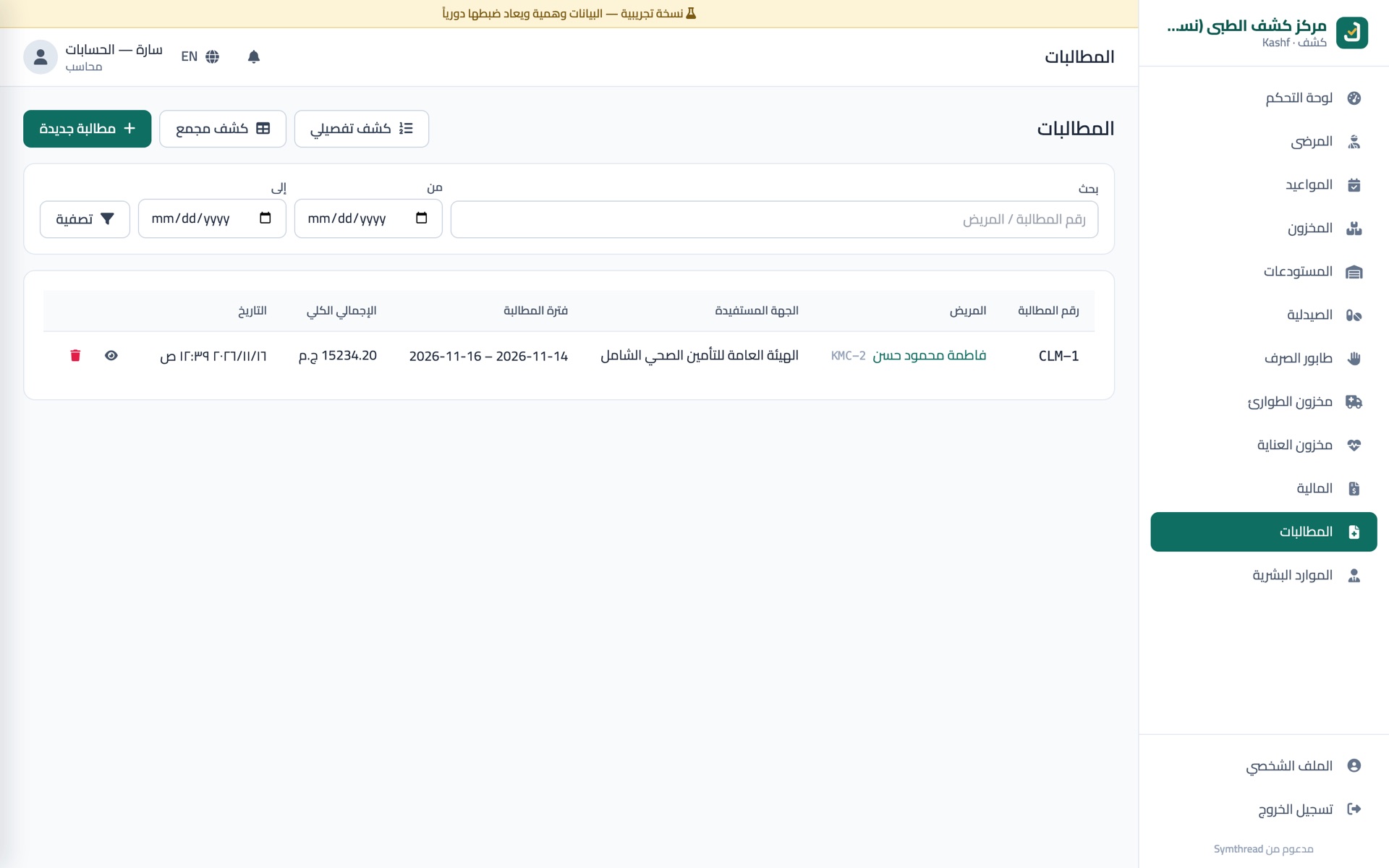
Claims: claims priced from the official UHIA service list, with monthly detailed and summary statements to print.
HR: staff, shifts, attendance and leave.
It is fully bilingual (Arabic right to left, and English), and runs on the facility's own server or in the cloud. The facility's name, logo, sections, prices and copay rates are settings, not code.
02 — The problem
What it solves.
In most clinics and centers, the patient's journey lives on scattered paper and separate ledgers. Every unrecorded service is a short invoice, and every line missing from a UHI claim is money that never comes back.
Patients get lost inside the center. Kashf tracks each patient live from arrival to discharge.
Medical reports aren't recorded. Reports are digital, tied to the patient file and visit, with ICD-11 diagnoses and an edit trail.
Claims and cover sheets carry errors. Every consumable and service is logged as it happens, so claims and cover sheets build themselves.
03 — Results
What changed.
- 3,440
- UHIA services priced from the official list
- 7
- roles, each with its own screens and permissions
- 1
- record per service: billed once, claimed once
04 — Demo
See it in action.
05 — Screenshots
Inside the product.
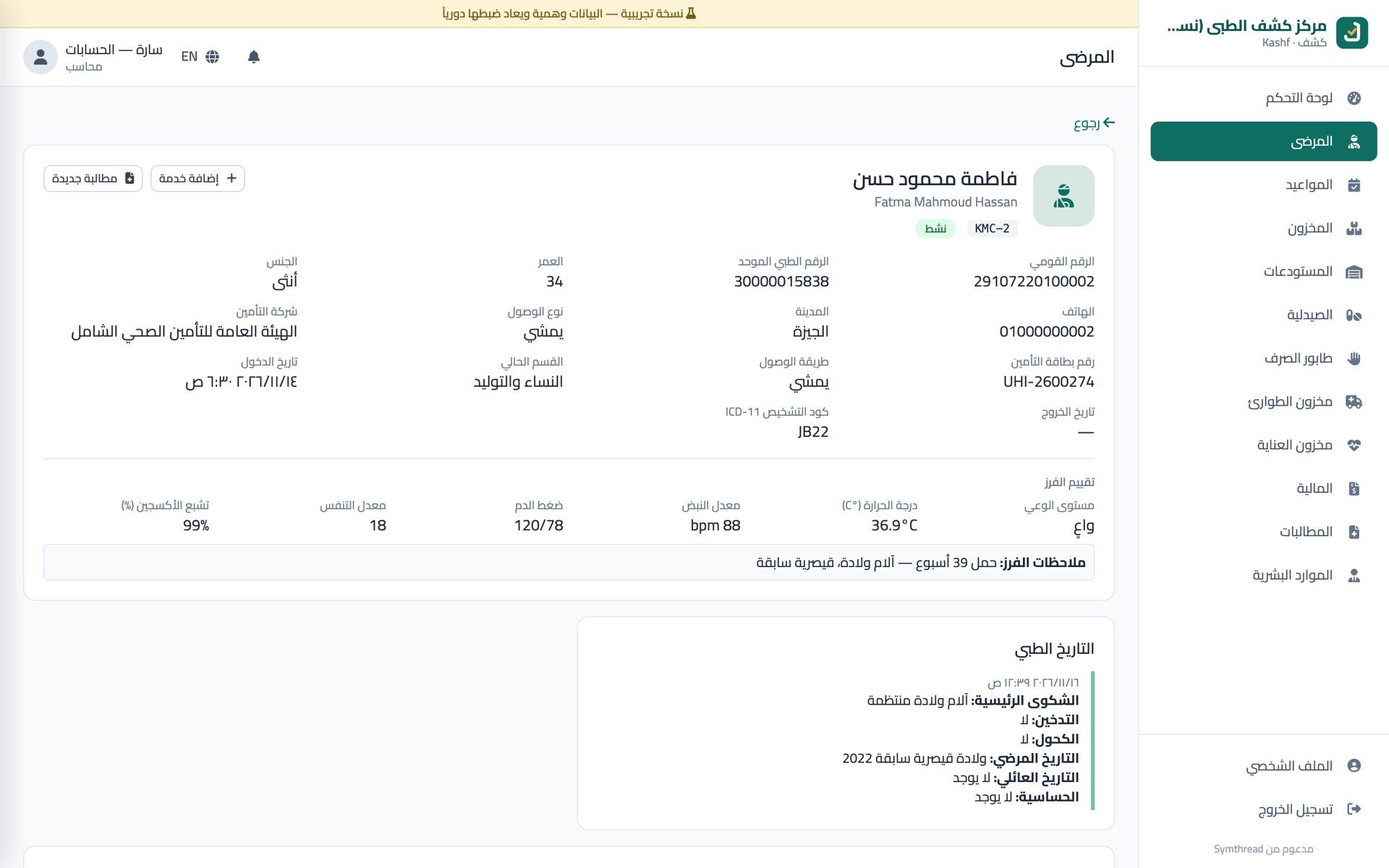
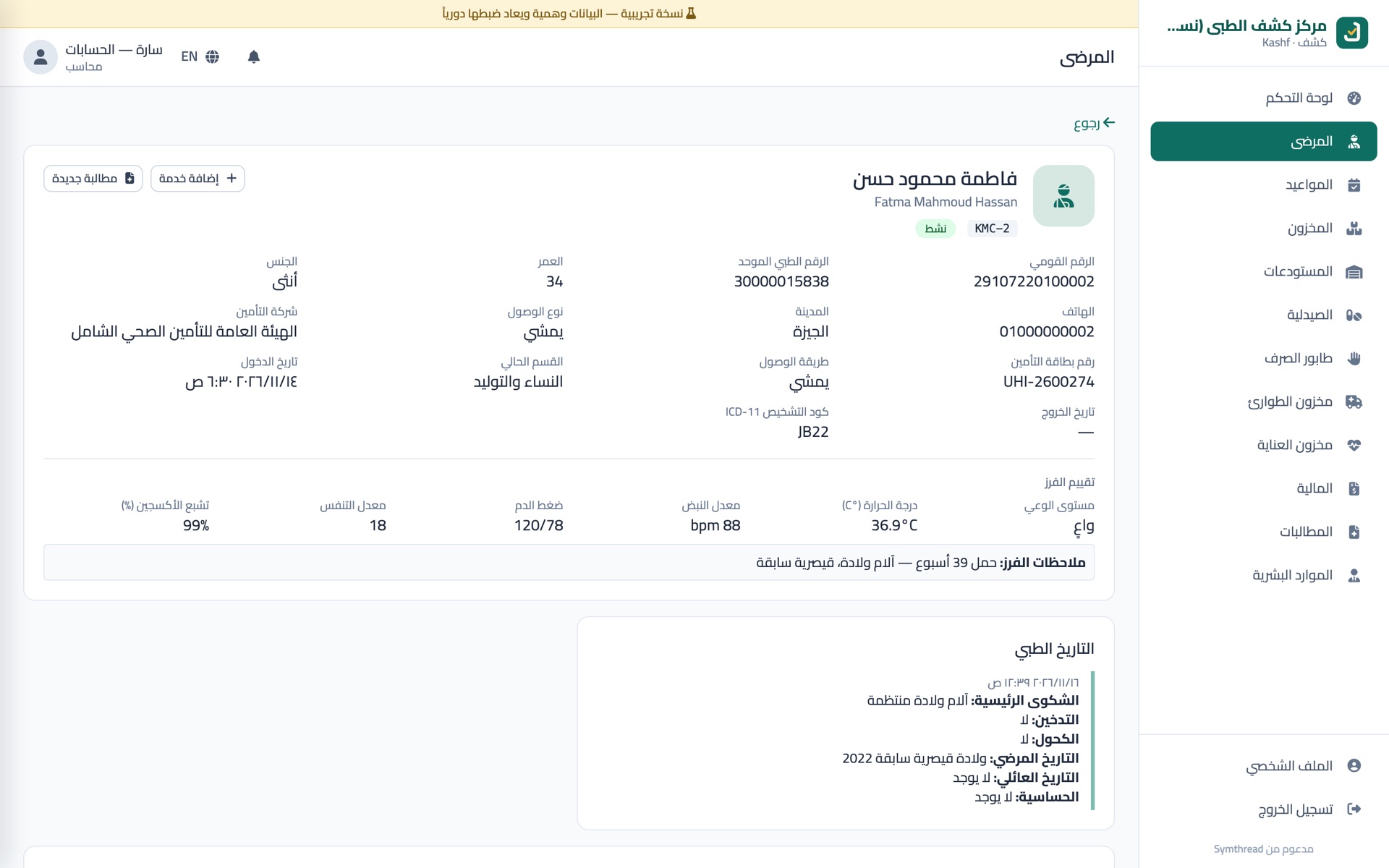
Patient file: insurance details, triage vitals and medical history.
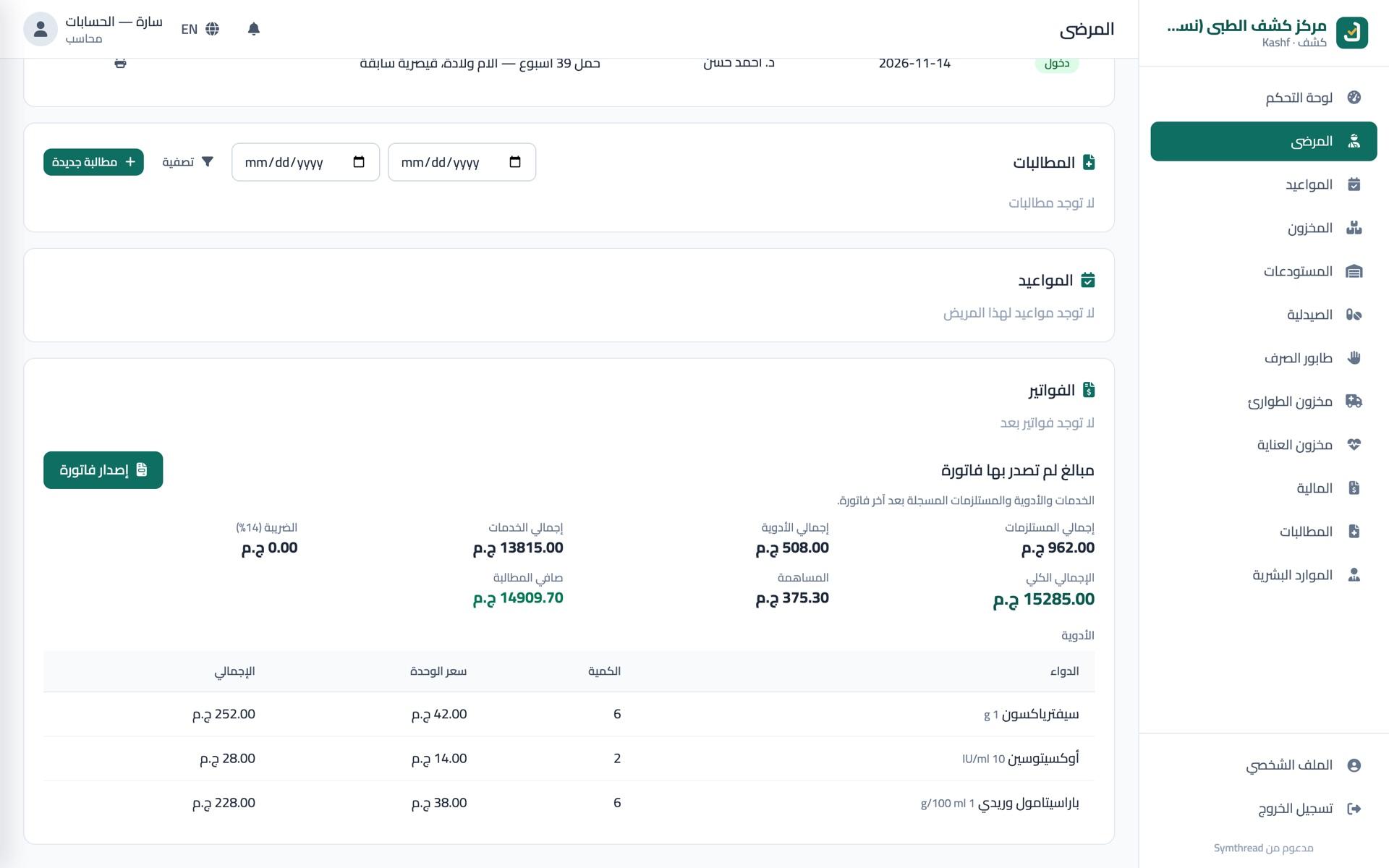
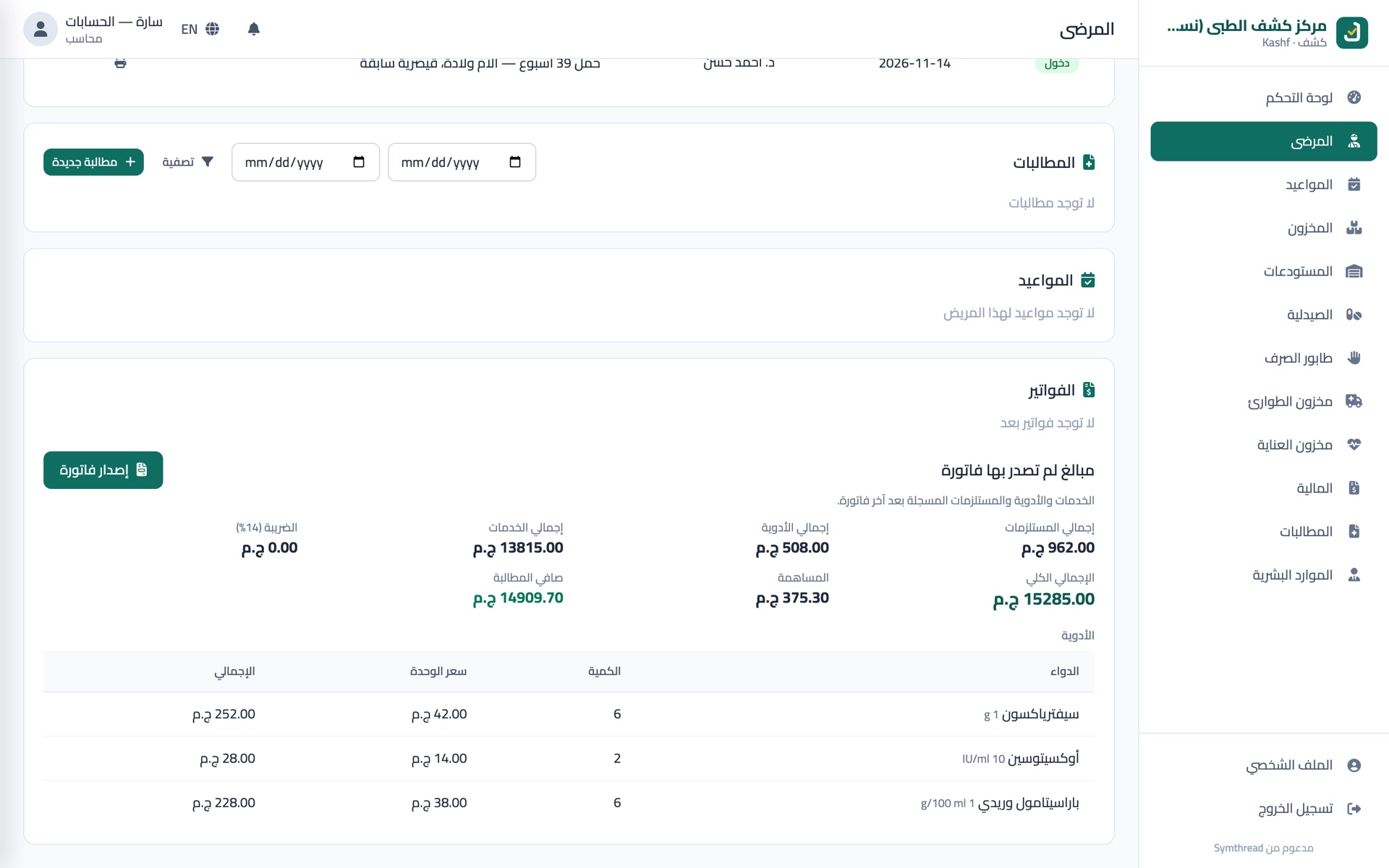
Patient bill: services, drugs and consumables waiting to be invoiced, with the copay worked out.
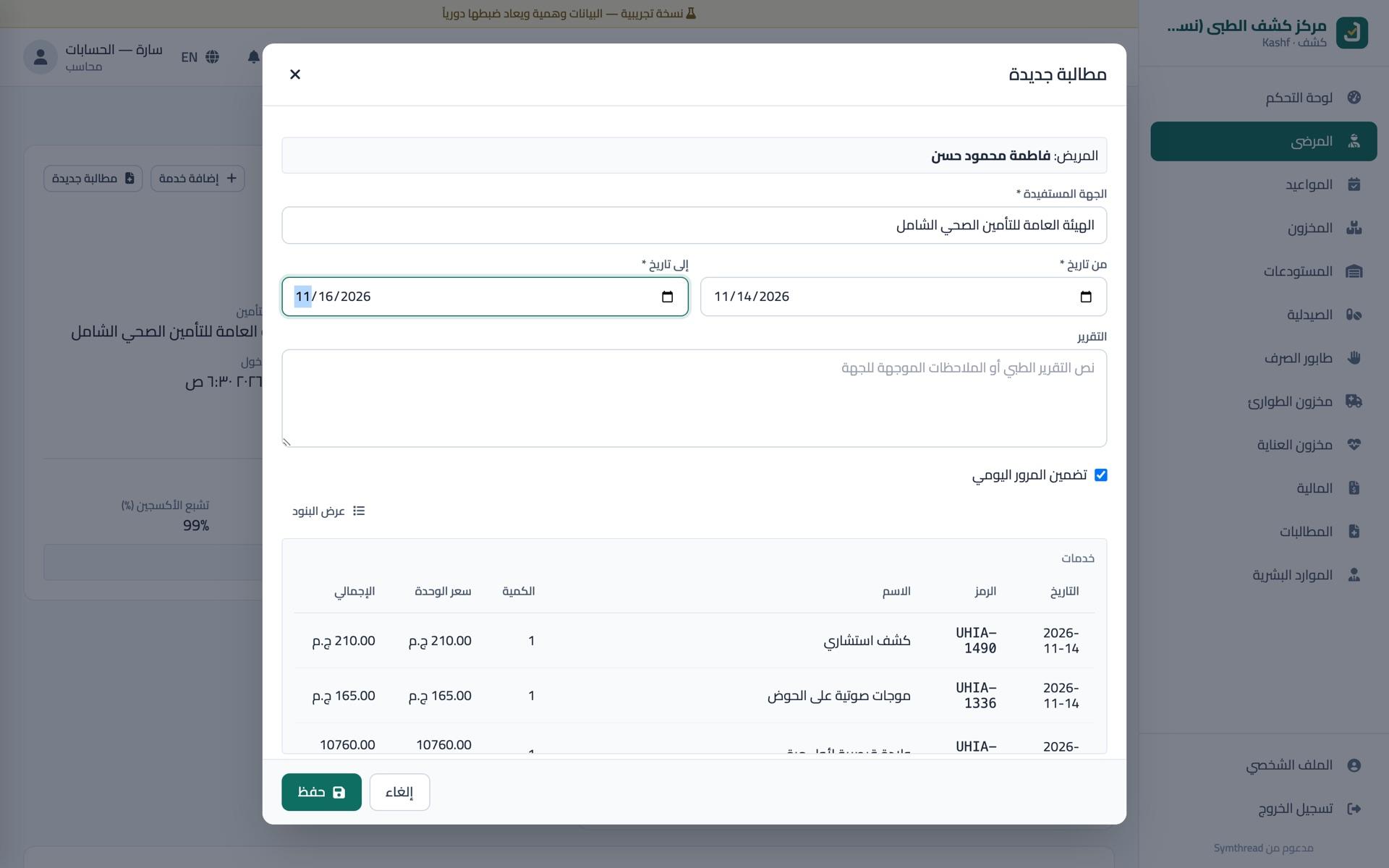
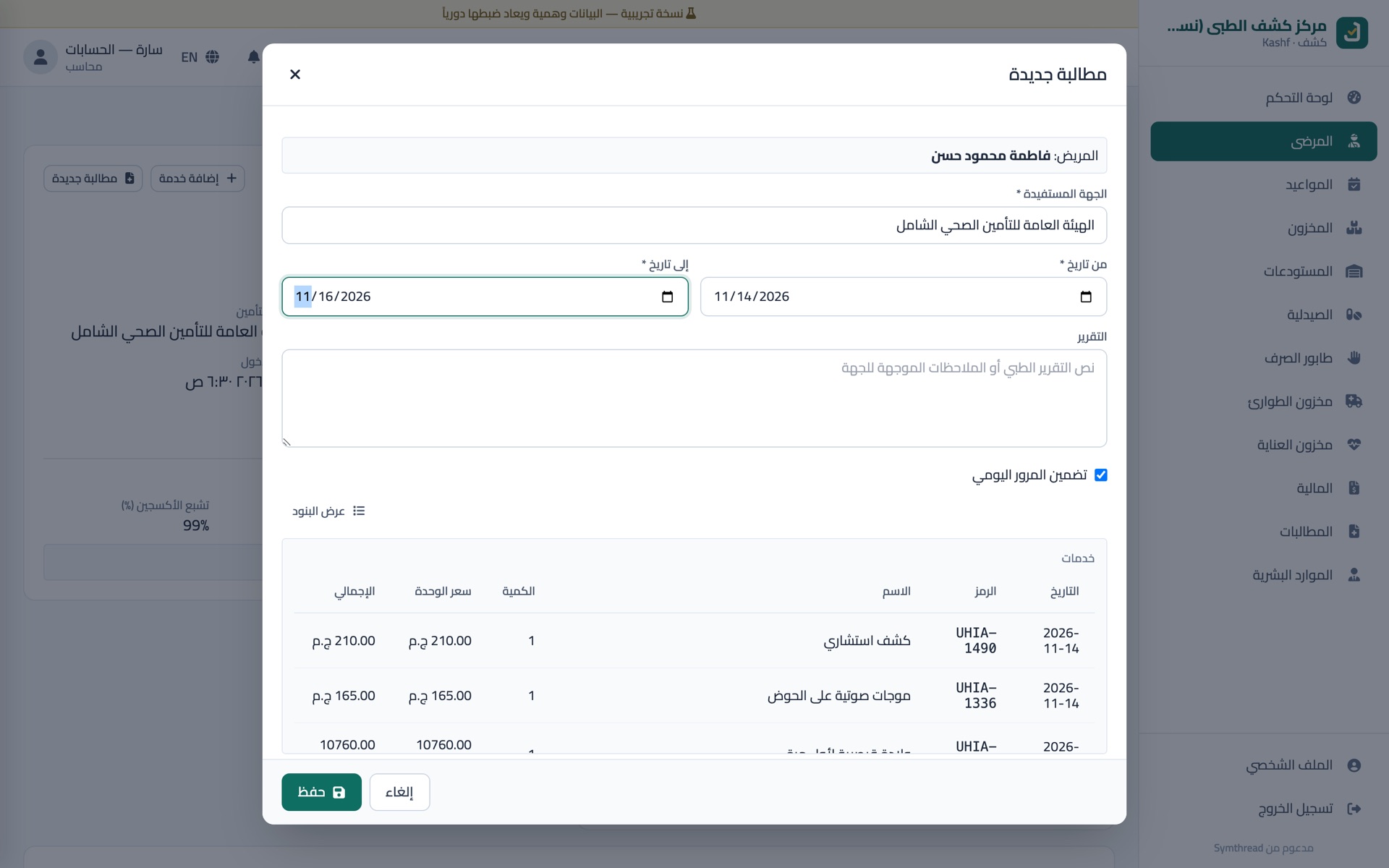
New claim: every service priced from the official UHIA list.
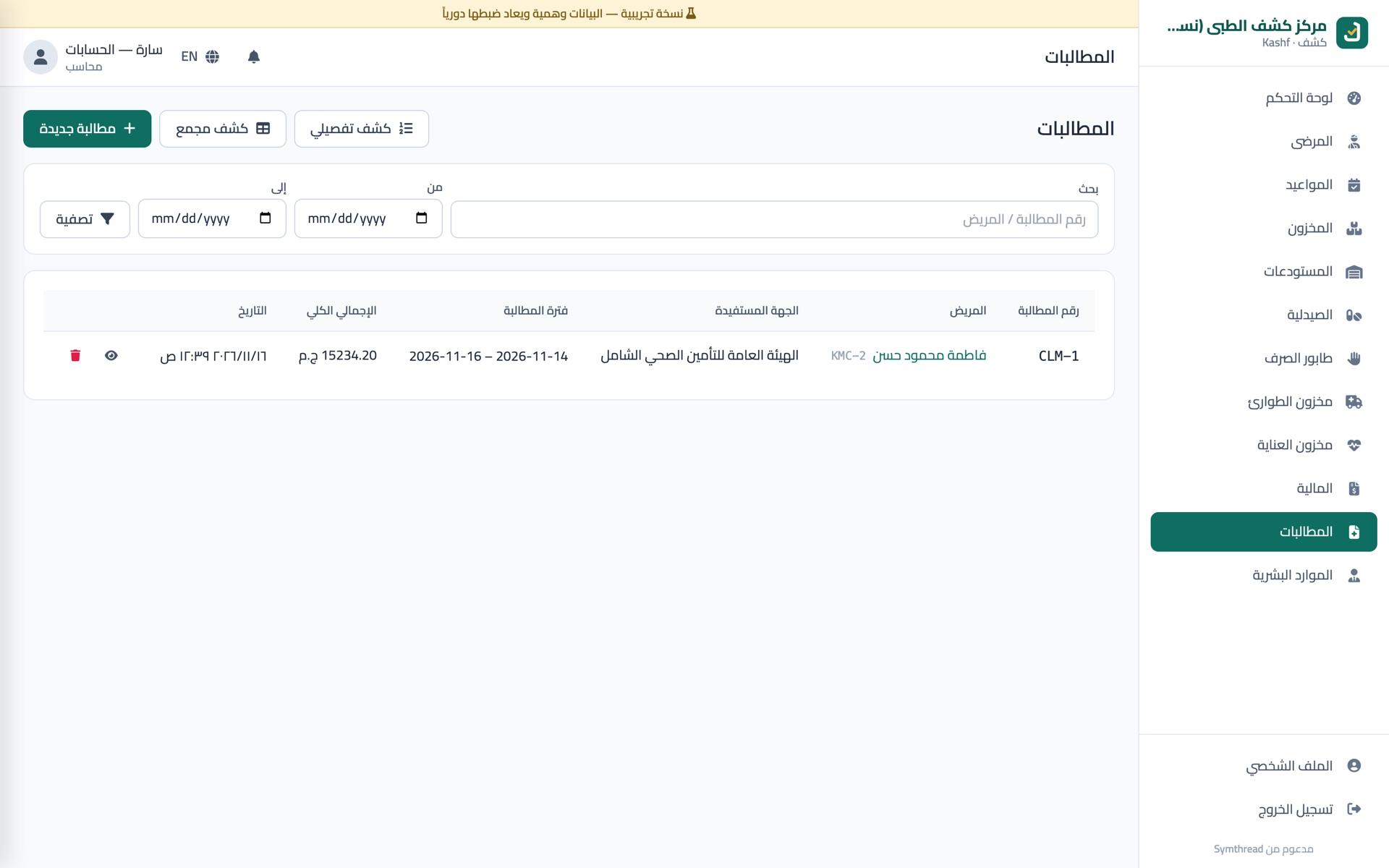
Claims, with the detailed and summary statements one click away.
06 — Next step